Optimization rabbit booster2.1.1
Publisher Description
Optimization rabbit booster, the cutest tool application
will always keep your phone optimized♪
This application has so many functions that will keep your phone fast, easy and handy at any time needed <3
Here are some of the useful functions :)
- "Eco mode" and "Brightness settings" will keep your battery available longer.
- "Manage system" will make your phone processing speed faster, and also can delete unneeded cache and history easily!
- You can optimize with one click from home screen via "widget" as well.
Sounds a little complicated? All you need to do is just a single click :>
【Features】
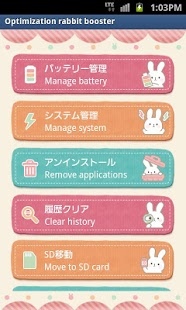
■Manage battery
■Manage system
■Remove applications
■Clear history
■Move to SD card
■Sound volume
■Brigtness settings
■Widget(various shortcuts, of switch type) - "Optimization rabbit booster" can control following functions: App shortcut / Wi-Fi / GPS / Bluetooth / Flight mode / Turning control / Battery indicator / Brightness control / Sound mode / Volume / System optimization / Widget color setting.
* Widgets can not be set if this application is moved to SD card.
【Support】
Much as we'd like to it's almost impossible to build an app that supports all android phones. But with your help, we'll try. Please help us make this app better by sending bug reports to "help.kk.club@gmail.com". We might ask you additional question for your help. Don't forget to include your phone model and your Android OS. Thank you so much!
※※※FAQ※※※
■When the various communication permissions can be used?
They can be used in ad display and effect tests.
GPS
It will be used in setting ad display and collecting related information of download regions (states).
Internet access
It will be used in setting ad display and collecting related information of download regions .
Communication (Phone information)
It will be used in collecting Android versions of phones which downloaded the app.
About Optimization rabbit booster
The company that develops Optimization rabbit booster is TACOTY JP kk. The latest version released by its developer is 2.1.1. This app was rated by 2 users of our site and has an average rating of 3.8.
To install Optimization rabbit booster on your Android device, just click the green Continue To App button above to start the installation process. The app is listed on our website since 2017-03-09 and was downloaded 13 times. We have already checked if the download link is safe, however for your own protection we recommend that you scan the downloaded app with your antivirus. Your antivirus may detect the Optimization rabbit booster as malware as malware if the download link to com.kk.optimizationrabbit is broken.
How to install Optimization rabbit booster on your Android device:
- Click on the Continue To App button on our website. This will redirect you to Google Play.
- Once the Optimization rabbit booster is shown in the Google Play listing of your Android device, you can start its download and installation. Tap on the Install button located below the search bar and to the right of the app icon.
- A pop-up window with the permissions required by Optimization rabbit booster will be shown. Click on Accept to continue the process.
- Optimization rabbit booster will be downloaded onto your device, displaying a progress. Once the download completes, the installation will start and you'll get a notification after the installation is finished.
Program Details
System requirements
Download information
Pricing
Version History
version 2.1.1
posted on 2017-03-09
Updates:2.1.1
Add policy link.
Updates:2.1.0
Fixed the bug.
Optimize layout.
Updates:2.0.1
Reconfiguration of Permission and ad system
version 2.1.0
posted on 2015-08-07
Updates:2.1.0,Fixed the bug.,Optimize layout.,Updates:2.0.1,Reconfiguration of Permission and ad system
version 2.0.0
posted on 2013-05-08
Several fixes and updates
